Bookmark Button
#| '!! shinylive warning !!': |
#|   shinylive does not work in self-contained HTML documents.
#|   Please set `embed-resources: false` in your metadata.
#| standalone: true
#| components: [viewer]
#| viewerHeight: 250

from starlette.requests import Request

from shiny import App, ui

def app_ui(request: Request):
    return ui.page_fluid(
        ui.row(
            ui.column(
                12,
                ui.input_radio_buttons(
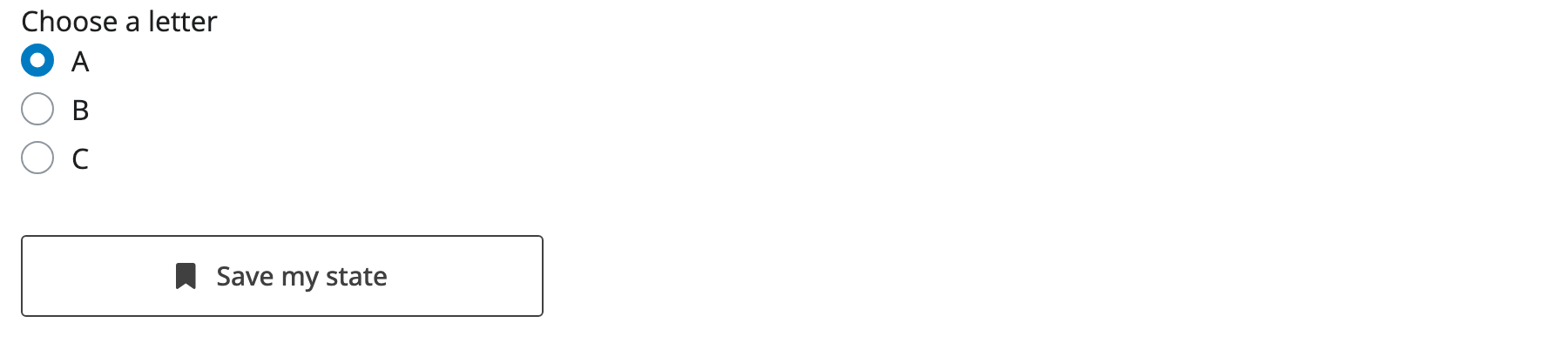
                    "letter", "Choose a letter", choices=["A", "B", "C"], inline=True
                ),
                ui.input_bookmark_button(),
            ),
            {"class": "vh-100 justify-content-center align-items-center px-5"},
        ).add_class("text-center")
    )

def server(input, output, session):
    pass

app = App(app_ui, server, bookmark_store="url")from shiny.express import app_opts, session, ui
app_opts(bookmark_store="url")
ui.input_radio_buttons("letter", "Choose a letter", choices=["A", "B", "C"])
ui.input_bookmark_button()
# Update the browser's URL in place instead of showing a modal.
@session.bookmark.on_bookmarked
async def _(url: str):
await session.bookmark.update_query_string(url)from starlette.requests import Request
from shiny import App, ui
# The UI must be a function to ensure that each user restores their own UI values.
def app_ui(request: Request):
return ui.page_fluid(
ui.input_radio_buttons("letter", "Choose a letter", choices=["A", "B", "C"]),
ui.input_bookmark_button(),
)
def server(input, output, session):
# Update the browser's URL in place instead of showing a modal.
@session.bookmark.on_bookmarked
async def _(url: str):
await session.bookmark.update_query_string(url)
app = App(app_ui, server, bookmark_store="url")Relevant Functions
-
ui.input_bookmark_button
ui.input_bookmark_button(label='Bookmark...', *, icon=MISSING, width=None, disabled=False, id=BOOKMARK_ID, title="Bookmark this application's state and get a URL for sharing.", **kwargs)
Details
A bookmark button lets users save the current state of an app’s inputs and share it as a URL. It is an action button with a default link icon and label that, when clicked, calls session.bookmark() for you.
Bookmarking must be enabled on the app itself before the button will do anything:
Enable bookmarking by passing
bookmark_store="url"(or"server") toApp()in Core, or by callingapp_opts(bookmark_store="url")in Express. In Core, the UI must also be a function that accepts arequestargument (e.g.def app_ui(request): ...) so that each user’s bookmarked state can be restored independently.Add
ui.input_bookmark_button()to the UI of your app. Where you call this function will determine where the button will appear within the app’s layout.Optionally customize the
label,icon,width, ortitle(tooltip) parameters ofui.input_bookmark_button().
Clicking the button saves the current input values and, by default, shows a modal with a URL that restores them. With bookmark_store="url" the input values are encoded directly in the URL’s query string; with "server" they are saved on the server and the URL contains only an identifier.
To update the browser’s address bar in place instead of showing a modal, register a session.bookmark.on_bookmarked() callback that calls session.bookmark.update_query_string(), as the Express and Core examples above do:
@session.bookmark.on_bookmarked
async def _(url: str):
await session.bookmark.update_query_string(url)The live preview above runs inside an embedded Shinylive frame, so the bookmark URL it produces points at the frame, not at a page you can share, and reloading this documentation page will not restore the app’s state. The button still works — click it to see the bookmark modal — but to experience saving and restoring state end to end, run the example in its own browser tab (e.g. open the Express or Core code in the Shinylive editor) or run the app locally.
Restoring state
Saving state is only half of bookmarking. When a user opens a bookmark URL, Shiny restores the saved inputs automatically, but anything else your app derives from them — reactive values, computed state, dynamically created UI — you restore yourself with @session.bookmark.on_restore (or on_restored, which runs after the inputs are in place). To keep a value out of the bookmark entirely, add its id to session.bookmark.exclude.
Choosing a store matters here too: bookmark_store="url" encodes every saved input into the query string, so it needs no server state but produces long URLs and exposes the values to anyone with the link. bookmark_store="server" writes the state to disk on the server and puts only a short identifier in the URL, which keeps values private but means bookmarks are tied to that server’s storage.
For the full picture — restore callbacks, excluding inputs, storing state on the server, and bookmarking inside modules — see:
- Bookmarking state for the core workflow
- Advanced bookmarking for
on_restoreand custom state - Bookmarking with modules for module-scoped state
Variations
Variation Showcase
A live kitchen sink of all possible parameters for the Bookmark Button in Shiny Core and Shiny Express.
See also: Action Button