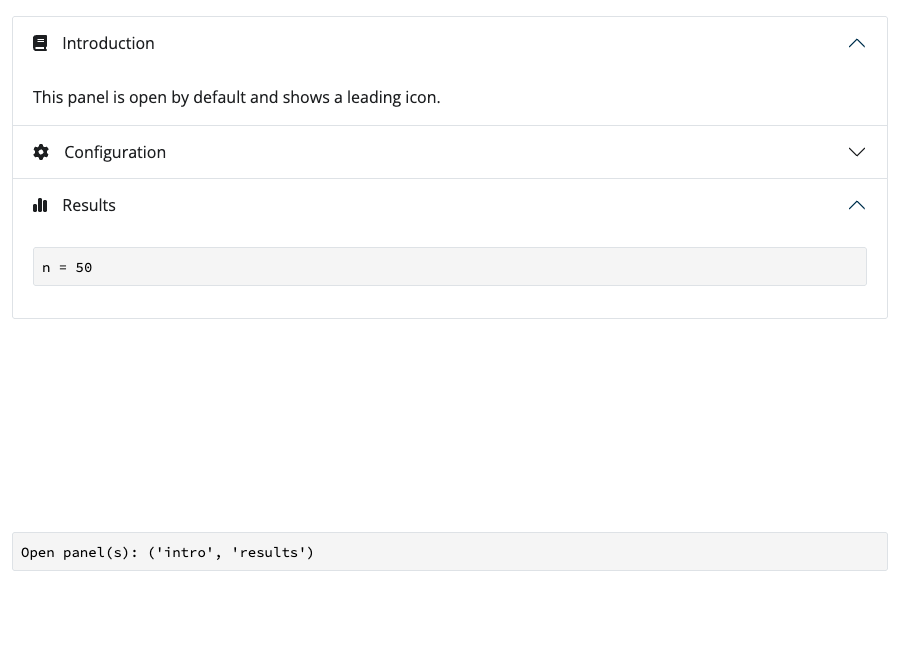
Accordion
#| '!! shinylive warning !!': |
#|   shinylive does not work in self-contained HTML documents.
#|   Please set `embed-resources: false` in your metadata.
#| standalone: true
#| components: [viewer]
#| viewerHeight: 300

## file: app.py
from shiny import App, render, ui

app_ui = ui.page_fluid(
    ui.accordion(
        ui.accordion_panel(
            "Overview",
            "Accordions group content into vertically collapsing sections.",
        ),
        ui.accordion_panel(
            "Details",
            "Only the panels you choose start open; the rest stay collapsed.",
        ),
        ui.accordion_panel(
            "More",
            "Give the accordion an id to read which panels are open.",
        ),
        id="acc",
    ),
    ui.output_code("selected"),
    class_="px-3 pt-3",
)

def server(input, output, session):
    @render.code
    def selected():
        return f"Open panel(s): {input.acc()}"

app = App(app_ui, server)from shiny.express import input, render, ui
with ui.accordion(id="acc", open=["Section A"]):
with ui.accordion_panel("Section A"):
"Contents for Section A"
with ui.accordion_panel("Section B"):
"Contents for Section B"
with ui.accordion_panel("Section C"):
"Contents for Section C"
@render.code
def selected():
return f"Open panel(s): {input.acc()}"from shiny import App, render, ui
app_ui = ui.page_fluid(
ui.accordion(
ui.accordion_panel("Section A", "Contents for Section A"),
ui.accordion_panel("Section B", "Contents for Section B"),
ui.accordion_panel("Section C", "Contents for Section C"),
id="acc",
open=["Section A"],
),
ui.output_code("selected"),
)
def server(input, output, session):
@render.code
def selected():
return f"Open panel(s): {input.acc()}"
app = App(app_ui, server)Relevant Functions
-
ui.accordion
ui.accordion(*args, id=None, open=None, multiple=True, class_=None, width=None, height=None, **kwargs) -
ui.accordion_panel
ui.accordion_panel(title, *args, value=MISSING, icon=None, **kwargs) -
ui.update_accordion
ui.update_accordion(id, *, show, session=None) -
ui.update_accordion_panel
ui.update_accordion_panel(id, target, *body, title=MISSING, value=MISSING, icon=MISSING, show=None, session=None) -
ui.insert_accordion_panel
ui.insert_accordion_panel(id, panel, target=None, position='after', session=None) -
ui.remove_accordion_panel
ui.remove_accordion_panel(id, target, session=None)
Details
An accordion is a set of vertically stacked, collapsible panels. It lets you organize a lot of content into compact sections that the user can expand one at a time (or several at once), which is handy for sidebars, settings, and long forms.
To make an accordion:
Create the container with
ui.accordion().Add one
ui.accordion_panel()for each section. The first positional argument is the paneltitle; the remaining arguments are the panel’s body content.Give the accordion an
idif you want to read which panels are currently open. In the server,input.<id>()returns thevalue(s) of the open panel(s). A panel’svaluedefaults to itstitle, but you can set an explicitvalueso your server code does not break when a title changes.
Controlling which panels are open
Use the open argument to set the initial state:
open=None(the default) opens the first panel.open="Section B"(or a list of values) opens specific panels.open=Trueopens every panel andopen=Falsecloses them all.
By default multiple=True, so users can expand several panels at once. Set multiple=False to make the accordion behave like a single-selection group, where opening one panel closes the others.
Panel icons and sizing
Pass icon to ui.accordion_panel() to place an element (such as a Font Awesome icon from faicons) just before the title. Use the accordion’s width and height arguments to constrain its size; when height is set the panel bodies scroll within the accordion.
Update a panel
Call ui.update_accordion_panel() from the server to change a panel’s title, body, or open state. Give the accordion an id and each panel a stable value so you can target it.
#| '!! shinylive warning !!': |
#|   shinylive does not work in self-contained HTML documents.
#|   Please set `embed-resources: false` in your metadata.
#| standalone: true
#| components: [viewer]
#| viewerHeight: 350

from shiny import reactive
from shiny.express import input, ui

ui.input_switch("update_panel", "Update (and open) sections")

with ui.accordion(id="acc", multiple=True):
    for letter in "ABC":
        with ui.accordion_panel(f"Section {letter}", value=f"sec_{letter}"):
            f"Contents for Section {letter}"

@reactive.effect
@reactive.event(input.update_panel)
def _():
    txt = " (updated)" if input.update_panel() else ""
    show = bool(input.update_panel() % 2 == 1)
    for letter in "ABC":
        ui.update_accordion_panel(
            "acc",
            f"sec_{letter}",
            f"Contents{txt} for Section {letter}",
            title=f"Section {letter}{txt}",
            show=show,
)from shiny import reactive
from shiny.express import input, ui
ui.input_switch("update_panel", "Update (and open) sections")
with ui.accordion(id="acc", multiple=True):
for letter in "ABC":
with ui.accordion_panel(f"Section {letter}", value=f"sec_{letter}"):
f"Contents for Section {letter}"
@reactive.effect
@reactive.event(input.update_panel)
def _():
txt = " (updated)" if input.update_panel() else ""
show = bool(input.update_panel() % 2 == 1)
for letter in "ABC":
ui.update_accordion_panel(
"acc",
f"sec_{letter}",
f"Contents{txt} for Section {letter}",
title=f"Section {letter}{txt}",
show=show,
)from shiny import App, reactive, ui
def make_panel(letter):
return ui.accordion_panel(
f"Section {letter}",
f"Contents for Section {letter}",
value=f"sec_{letter}",
)
app_ui = ui.page_fluid(
ui.input_switch("update_panel", "Update (and open) sections"),
ui.accordion(*[make_panel(letter) for letter in "ABC"], id="acc", multiple=True),
)
def server(input, output, session):
@reactive.effect
@reactive.event(input.update_panel)
def _():
txt = " (updated)" if input.update_panel() else ""
show = bool(input.update_panel() % 2 == 1)
for letter in "ABC":
ui.update_accordion_panel(
"acc",
f"sec_{letter}",
f"Contents{txt} for Section {letter}",
title=f"Section {letter}{txt}",
show=show,
)
app = App(app_ui, server)Adding and removing panels dynamically
Panels do not have to be fixed at startup. From the server you can:
ui.update_accordion_panel(id, target, ...)— change a panel’s title, body, icon, value, or open state.ui.update_accordion(id, show=...)— open or close panels by value.ui.insert_accordion_panel(id, panel, target=None, position="after")— add a new panel.ui.remove_accordion_panel(id, target)— remove one or more panels by value.
Insert and remove panels
Call ui.insert_accordion_panel() and ui.remove_accordion_panel() from the server to add or drop panels while the app is running.
#| '!! shinylive warning !!': |
#|   shinylive does not work in self-contained HTML documents.
#|   Please set `embed-resources: false` in your metadata.
#| standalone: true
#| components: [viewer]
#| viewerHeight: 350

from shiny import reactive
from shiny.express import input, ui

with ui.layout_columns():
    ui.input_action_button("add_panel", "Add panel")
    ui.input_action_button("remove_panel", "Remove last panel")

with ui.accordion(id="acc", multiple=True):
    with ui.accordion_panel("Section 1", value="sec_1"):
        "Contents for Section 1"

count = reactive.value(1)

@reactive.effect
@reactive.event(input.add_panel)
def _():
    n = count() + 1
    count.set(n)
    ui.insert_accordion_panel(
        "acc",
        f"Section {n}",
        f"Contents for Section {n}",
        panel_value=f"sec_{n}",
    )

@reactive.effect
@reactive.event(input.remove_panel)
def _():
    n = count()
    if n > 0:
        ui.remove_accordion_panel("acc", f"sec_{n}")
count.set(n - 1)from shiny import reactive
from shiny.express import input, ui
with ui.layout_columns():
ui.input_action_button("add_panel", "Add panel")
ui.input_action_button("remove_panel", "Remove last panel")
with ui.accordion(id="acc", multiple=True):
with ui.accordion_panel("Section 1", value="sec_1"):
"Contents for Section 1"
count = reactive.value(1)
@reactive.effect
@reactive.event(input.add_panel)
def _():
n = count() + 1
count.set(n)
ui.insert_accordion_panel(
"acc",
f"Section {n}",
f"Contents for Section {n}",
panel_value=f"sec_{n}",
)
@reactive.effect
@reactive.event(input.remove_panel)
def _():
n = count()
if n > 0:
ui.remove_accordion_panel("acc", f"sec_{n}")
count.set(n - 1)from shiny import App, reactive, ui
app_ui = ui.page_fluid(
ui.layout_columns(
ui.input_action_button("add_panel", "Add panel"),
ui.input_action_button("remove_panel", "Remove last panel"),
),
ui.accordion(
ui.accordion_panel(
"Section 1", "Contents for Section 1", value="sec_1"
),
id="acc",
multiple=True,
),
)
def server(input, output, session):
count = reactive.value(1)
@reactive.effect
@reactive.event(input.add_panel)
def _():
n = count() + 1
count.set(n)
ui.insert_accordion_panel(
"acc",
ui.accordion_panel(
f"Section {n}", f"Contents for Section {n}", value=f"sec_{n}"
),
)
@reactive.effect
@reactive.event(input.remove_panel)
def _():
n = count()
if n > 0:
ui.remove_accordion_panel("acc", f"sec_{n}")
count.set(n - 1)
app = App(app_ui, server)Variation Showcase
A live kitchen sink of all possible parameters for the Accordion in Shiny Core and Shiny Express.